In Laravel, each notification is represented by a single class that is typically stored in the app/Notifications directory.
Don’t worry if you don’t see this directory in your application. It will be created for you when you run the below artisan command
make:notification
ie. php artisan make:notification TestNotification.php
Laravel documentation on how to create notification https://laravel.com/docs/10.x/notifications
Laravel notification can be used for many purpose as for example, sending SMS, Email etc.
In this post, I will discuss on how to send the notification or alert message to slack via Slack webhook url.
1. Install slack notification Channel
To integrate Slack notification in Laravel, you need to install the laravel/slack-notification-channel package.
You can simply run this command to install laravel package in your project:
composer require laravel/slack-notification-channel
GitHub : https://github.com/laravel/slack-notification-channel
2. Create Notification Class
Run below artisan command in your project.
This command will create SendSlackNotification.php class inside app/Notifications folder
php artisan make:notification SendSlackNotification
New class will be created like this app/Notifications/SendSlackNotification.php
3. Configure file app/Notifications/SendSlackNotification class
Next configure file app/Notifications/SendSlackNotification.php class.
| <?php | |
| namespace App\Notifications; | |
| use Illuminate\Bus\Queueable; | |
| use Illuminate\Notifications\Messages\SlackMessage; | |
| use Illuminate\Notifications\Notification; | |
| class SendSlackNotification extends Notification | |
| { | |
| use Queueable; | |
| /** | |
| * Create a new notification instance. | |
| * | |
| * @return void | |
| */ | |
| public function __construct() | |
| { | |
| // | |
| } | |
| /** | |
| * Get the notification's delivery channels. | |
| * | |
| * @param mixed $notifiable | |
| * @return array | |
| */ | |
| public function via($notifiable) | |
| { | |
| return ['slack']; | |
| } | |
| public function toSlack($notifiable) | |
| { | |
| return (new SlackMessage) | |
| ->from('Prakash', ':icone:')// user | |
| ->to('#test-slack-notificatin') // channel name | |
| ->content('This is test notification message.');// message | |
| } | |
| /** | |
| * Get the array representation of the notification. | |
| * | |
| * @param mixed $notifiable | |
| * @return array | |
| */ | |
| public function toArray($notifiable) | |
| { | |
| return [ | |
| // | |
| ]; | |
| } | |
| } |
4. Create webhook and assign to Slack channel
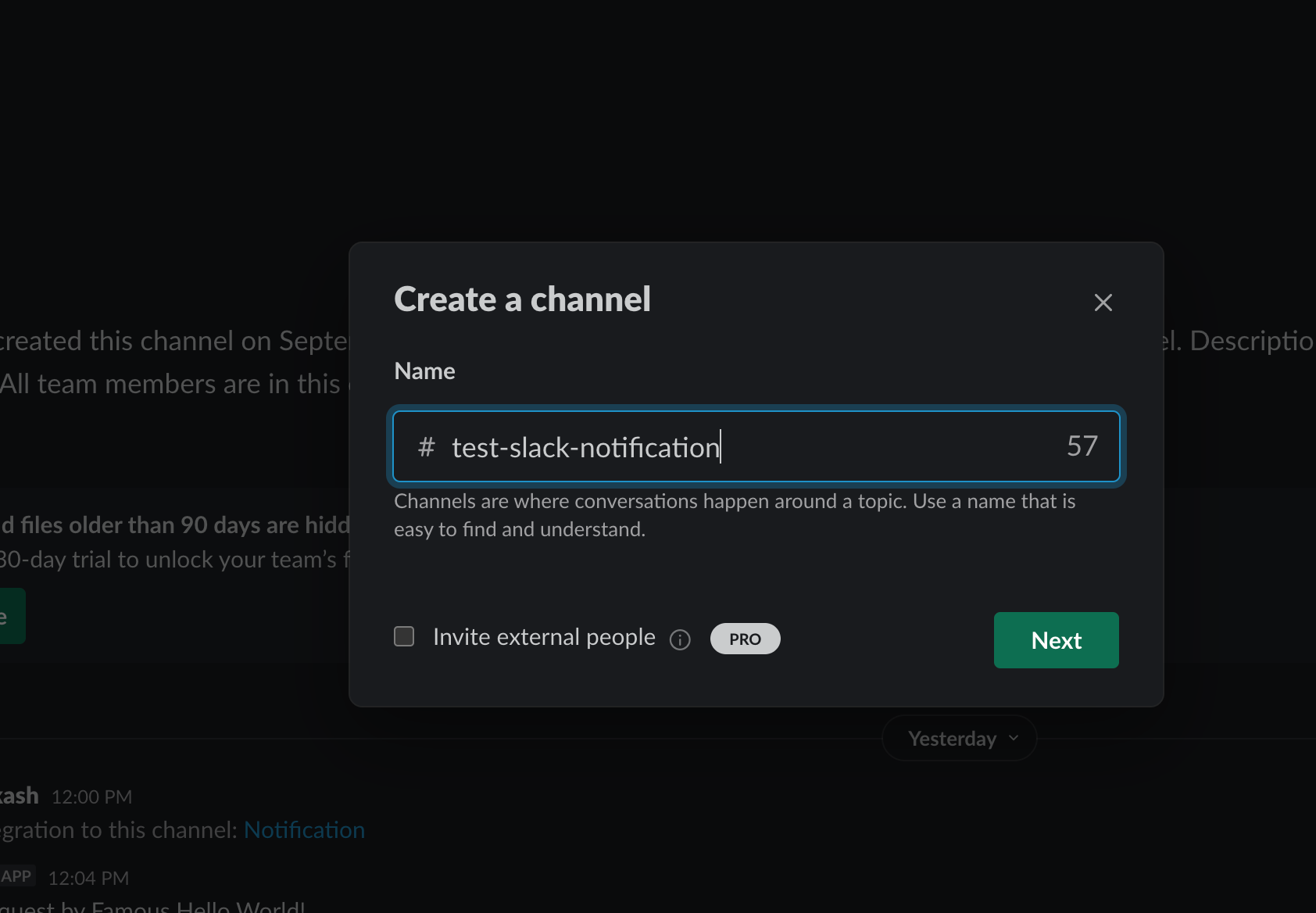
Create Channel
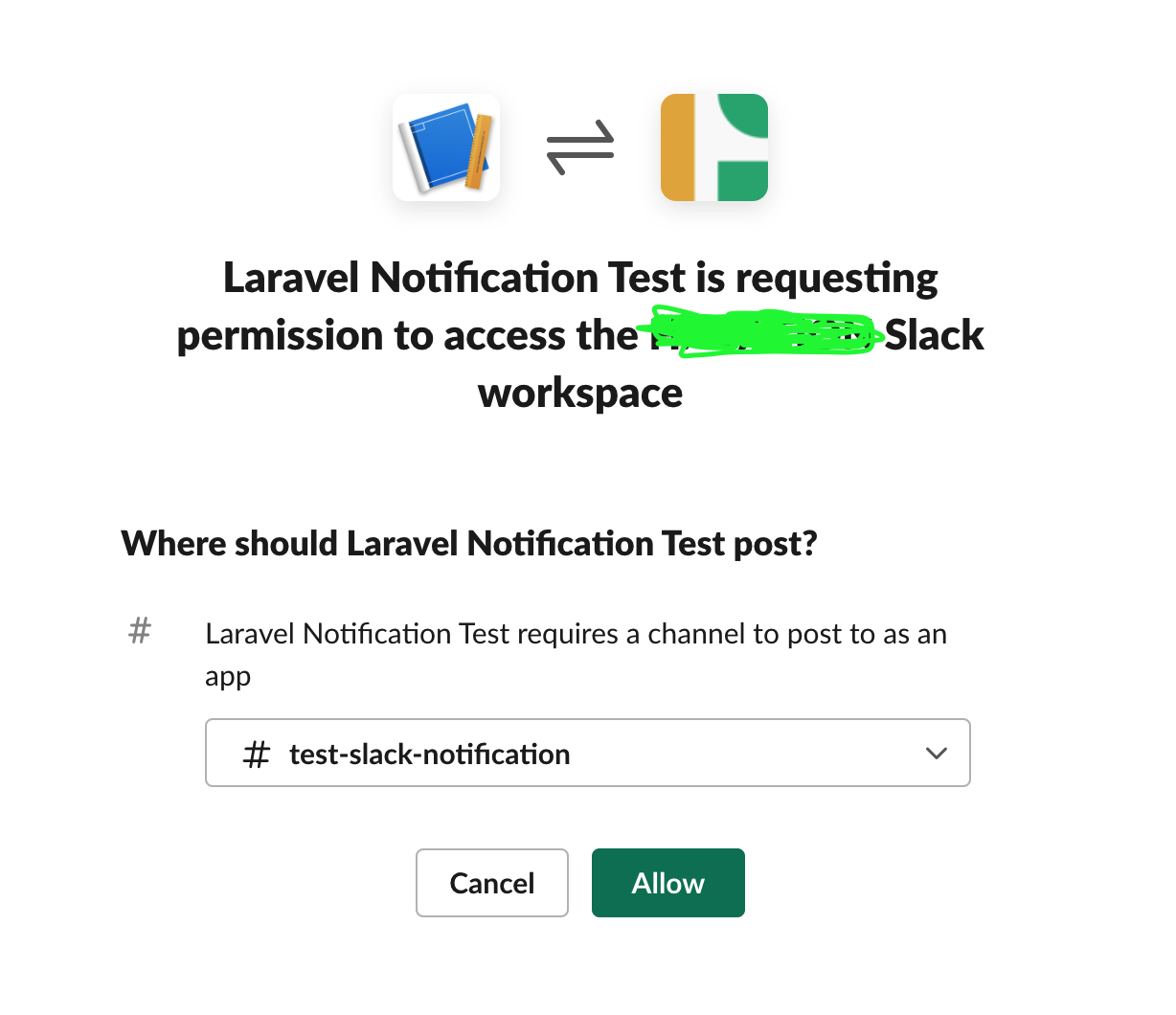
Login to slack and create your notification channel. Here I am creating #test-slack-notification channel.
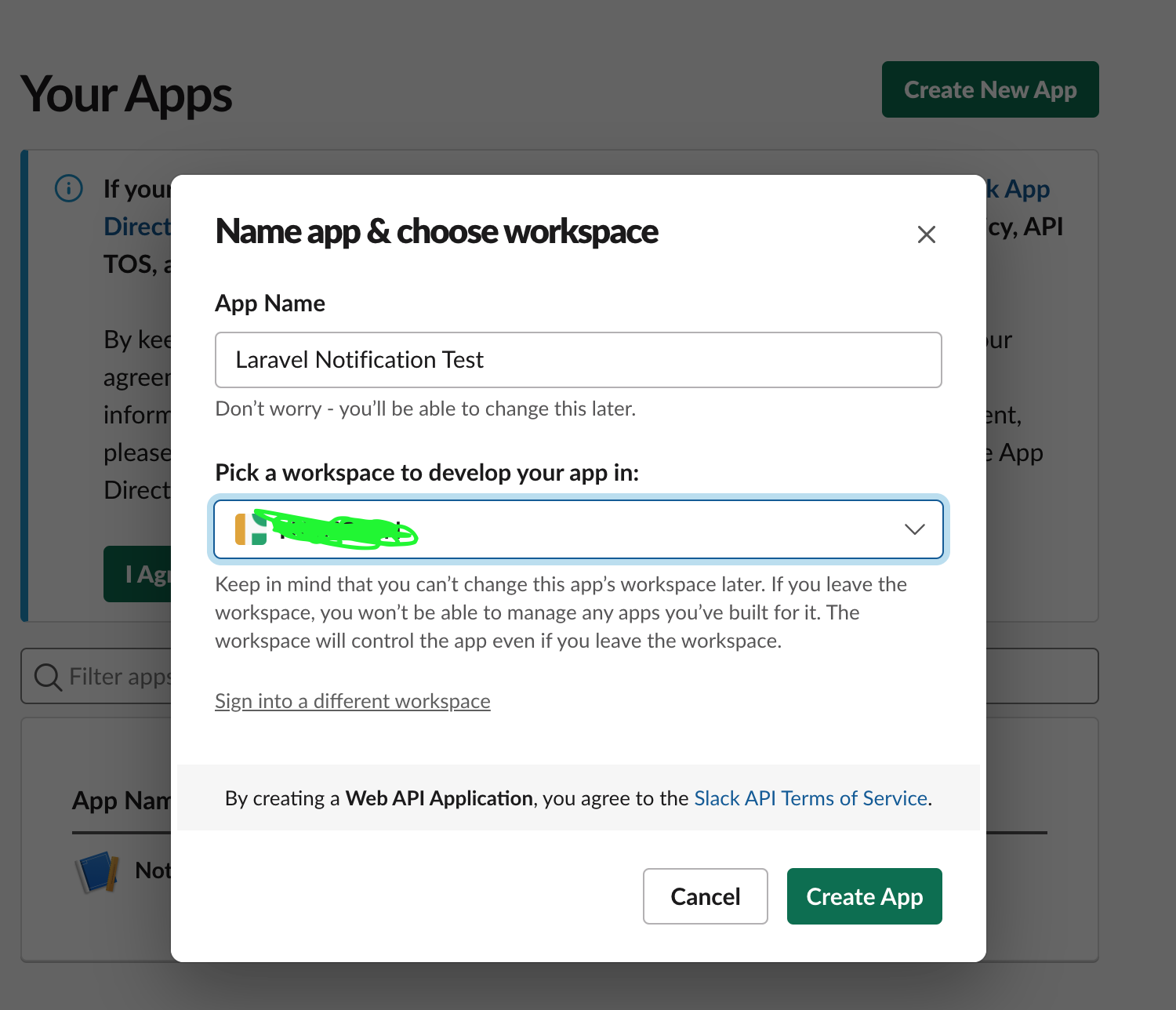
Create Slack app
Navigate to this URL: https://api.slack.com/apps?new_app=1 to crate Slack app.
Enable Incoming Webhooks
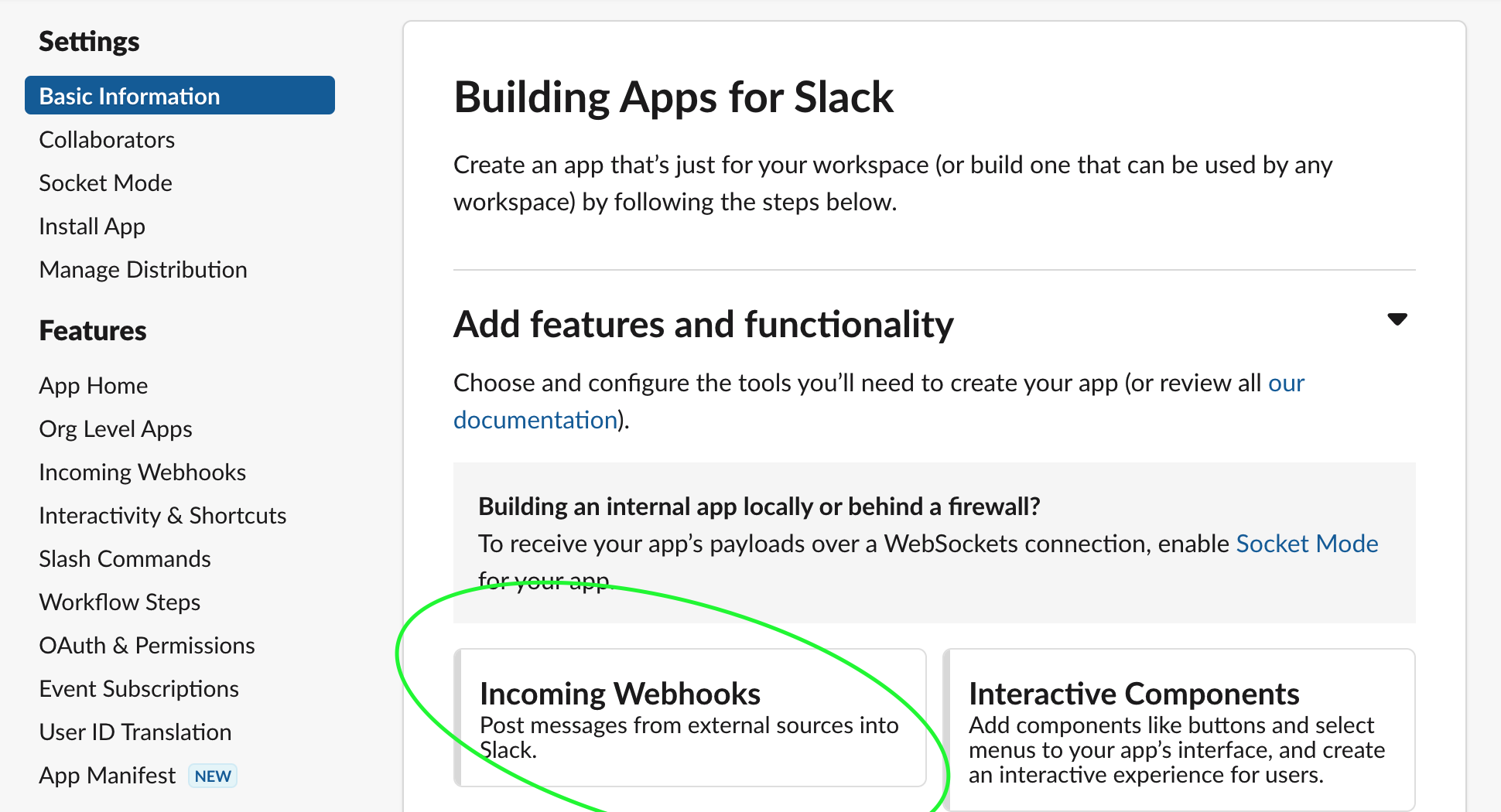
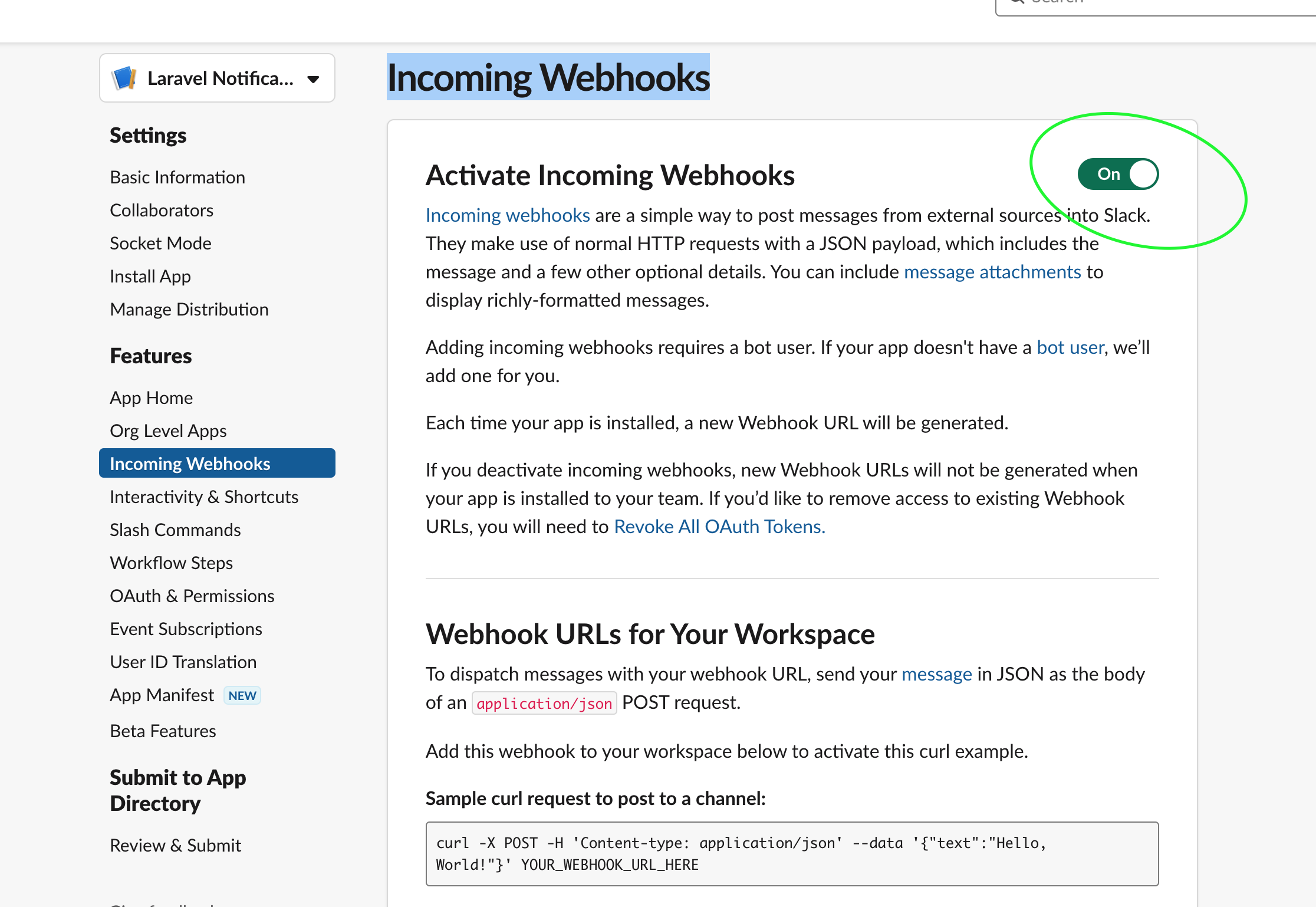
Add Webhook URLs for Your Workspace
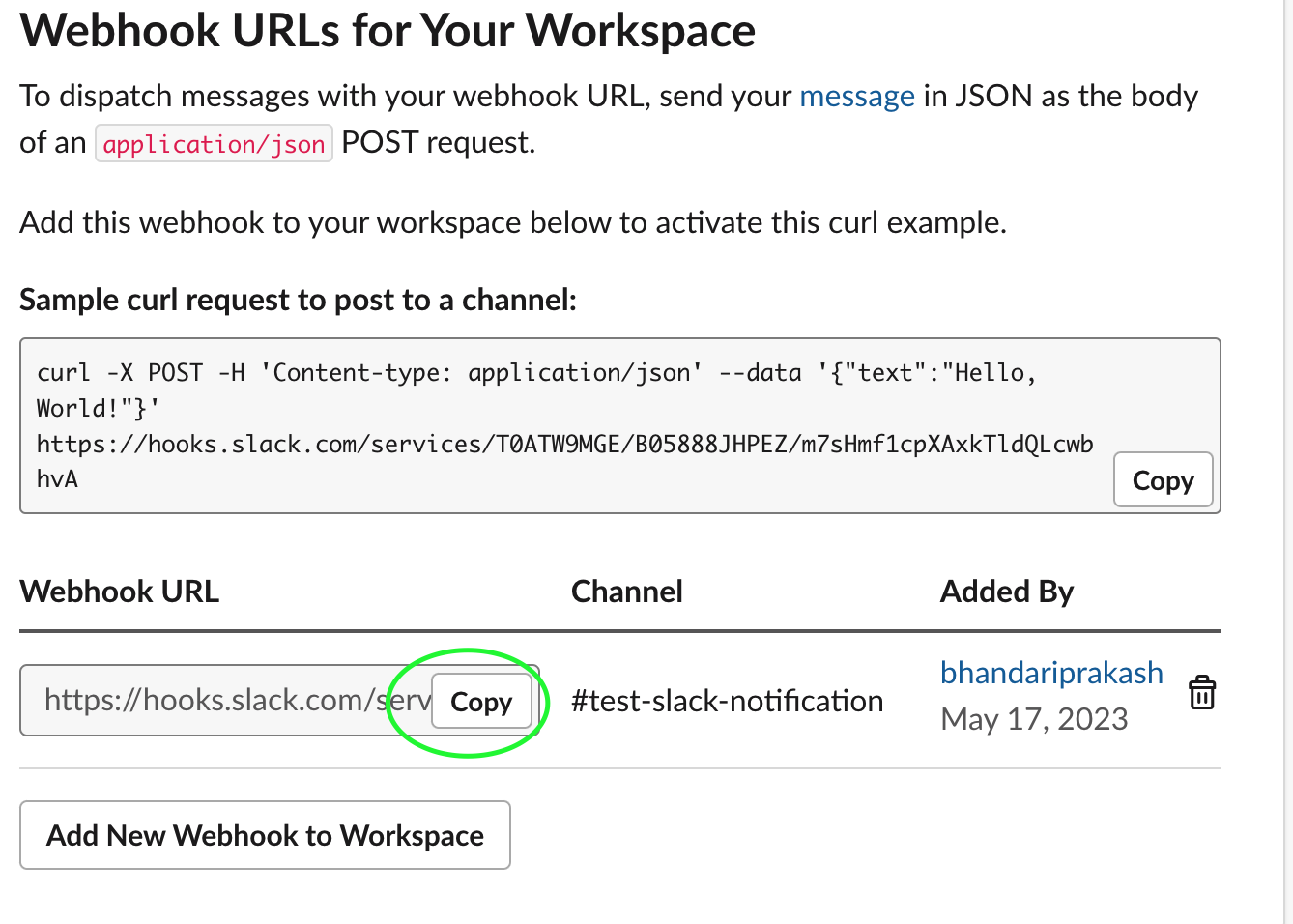
Copy webhook URL
4. Send Notification
Once you have Webhook URL, you can simply use that URL in you app to send the notification from your Laravel app to Slack channel. I have added below code on router to test the Notification.
| Route::get('/test', function (Request $request) { | |
| \Illuminate\Support\Facades\Notification::route('slack', 'YOUR_SLACK_INCOMING_WEBHOOK_URL') | |
| ->notify(new \App\Notifications\SendNotification()); | |
| }); |
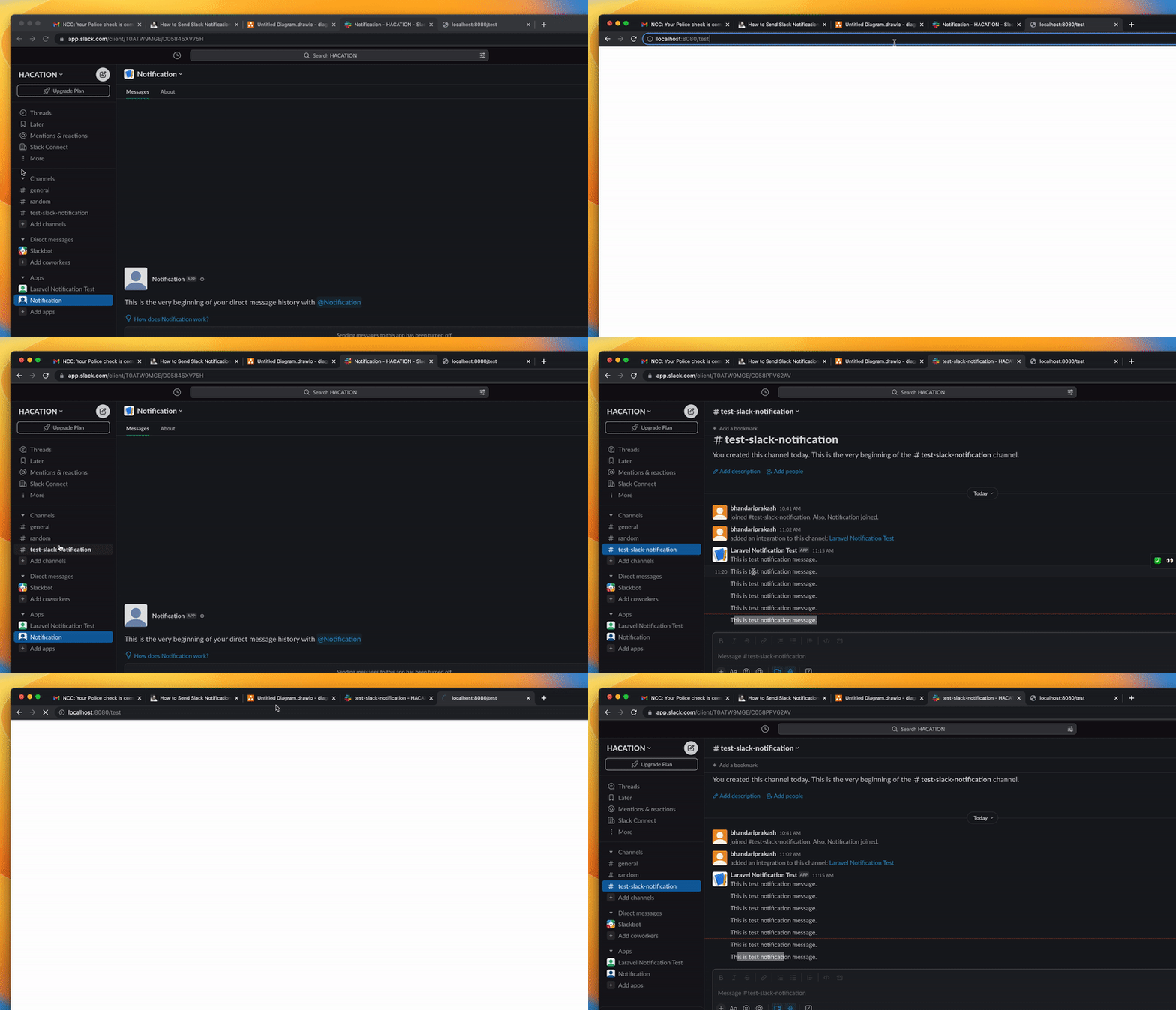
5. Demo